Willkommen bei Juergens-Workshops.de
-
Wenn Sie Ihre kreativen Ideen in Bezug auf Erstellen von Grafiken oder Bearbeiten von Bildern und Fotos direkt am Computer umsetzen möchten, dann sind Sie hier richtig. Bei Juergens-Workshops.de steht Ihre Kreativität im Mittelpunkt. Mit Jürgens Workshops werden Ihnen einige der vielfältigen grafischen Möglichkeiten von Corel™ und PhotoImpact® gezeigt, im Forum steht Ihnen die Community bei Fragen zu Grafik erstellen/bearbeiten oder Grafikprogrammen gerne zur Verfügung.
Community / Forum
Neuste Beiträge im Forum
01.08.2026, 10:30 Text an Strecke ausrichten 3 Antworten
30.07.2026, 06:00 Clone bzw. mit der Umgebung (z.B. Text) löschen? 1 Antwort
28.07.2026, 06:51 Reihenfolge der Registerblätter 0 Antworten
20.07.2026, 00:37 Macro erstellen 1 Antwort
12.07.2026, 13:11 Intelligente Füllung 2 Antworten
01.07.2026, 04:48 .svg Problem 2 Antworten
29.06.2026, 19:25 Wo speichert Corel die Stile? 4 Antworten
27.06.2026, 15:49 Ränder glätten 2 Antworten
27.06.2026, 14:44 Tastaturbefehle oder StreamDeck? 1 Antwort
17.06.2026, 13:14 Holzschraffur in s/w um Objekte zu füllen 3 Antworten
16.06.2026, 14:02 Fehlermeldung bei Programmstart 2 Antworten
14.06.2026, 14:54 benutzerdefinierte Symbolleiste optimieren 5 Antworten
13.06.2026, 16:17 Helligkeit/Kontrast/Intensität 0 Antworten
11.06.2026, 11:47 Intelligente Füllung 1 Antwort
09.06.2026, 22:59 Grafik verzerren 2 Antworten
08.06.2026, 20:58 Grafik verzerrren 2 Antworten
22.05.2026, 15:49 Hintergrundfarbe ändern 2 Antworten
13.05.2026, 06:45 Objekt beim verschieben/kopieren anzeigen 2 Antworten
11.05.2026, 08:54 PI 12SE und X3 machen Probleme bei Verformwerkzeug 2 Antworten
09.05.2026, 17:29 Farbausdrucke mit einem Farblaserdrucker 13 Antworten
Jürgens Workshops / Tutorials
Eigene Grafiken und Animationen erstellen oder Bilder und Fotos bearbeiten
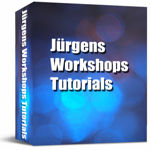 In über 100 Workshops erfahren Sie, wie Sie mit einfachen Hilfsmitteln zum Beispiel Objekte freistellen oder klonen, bei einem Foto den Bildhintergrund austauschen und Lichteffekte hinzufügen oder etwas transparent erscheinen lassen können. Mit kleinen Tricks werden Sie nebst vielem anderen zum Beispiel ein Trinkglas oder Dartboard oder Spielbrett zeichnen oder eine animierte Grafik oder eine Geschenk-Verpackung erstellen können.
Stöbern Sie in Jürgens Workshops. Wenn Sie das eine und andere durchgelesen haben, dann fallen Ihnen danach bestimmt noch viele andere Möglichkeiten ein, wie Sie eine Grafik selbst erstellen oder ein Foto noch interessanter gestalten können. Viel Spass beim Nacharbeiten! » Workshops Übersicht -
Downloads
Alles für Ihre Homepage
kostenlos!